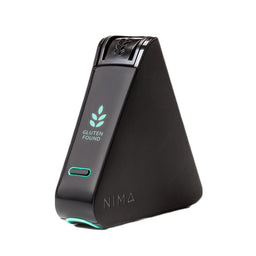
If your NIMA Sensor was purchased before 2026, you may need to requalify it before use to ensure it’s set up correctly and working as expected.
NOTE: If your sensor is pre-2026, it may not pair with the app. If the sensor can still hold a charge, you can use the new capsules and view results directly on the device screen.
Less than 3 bars = the battery may no longer hold a charge
If your sensor doesn’t hold a charge, you can keep it plugged in while testing or contact customerservice@nimanow.com for help with replacement options.
STEP 2
Download App & Create Your Account
Download App & Create Your Account
Download NIMA Now from the App Store or Google Play
Open the app and follow the prompts to create your account
STEP 3
Pair & Update Your Sensor
Turn on your sensor
Follow the in-app pairing instructions
Look for “Pairing Successful”
If prompted:
Go to Settings → Your Gluten Sensor
Select Update Your Gluten Sensor
If no update option appears, your sensor may not support firmware updates. Contact Support at customerservice@nimanow.com.
STEP 4
Clean & Test with Capsules
Clean the capsule well using a lint-free cloth and/or compressed air. Using a slightly damp cloth is okay if needed. NOTE: Do not spray water into the slot as it will damage the sensor.
Use the 50% off coupon code that was sent to your email to order a new box of capsules
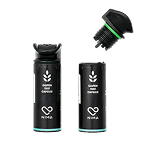
Use up to 3 test capsules to test the sensor’s performance. Test foods that are known to be gluten-free or have gluten.
If the test results look accurate, congrats! Your sensor is ready to use. If you see errors, contact NIMA Support at customerservice@nimanow.com